

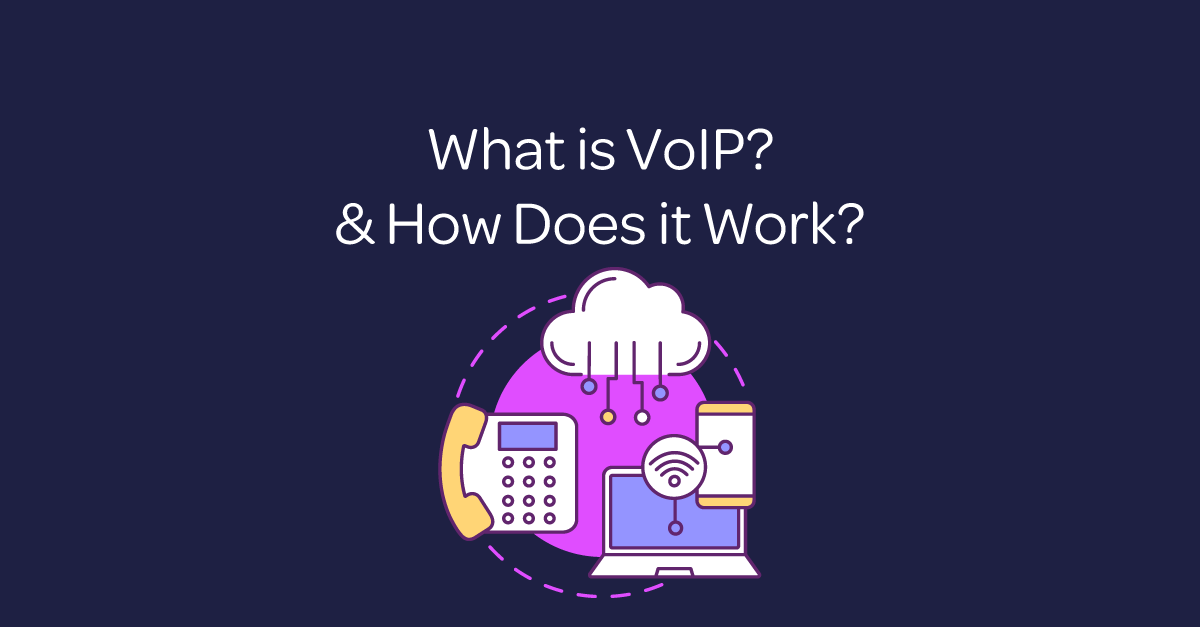
Business VoIP is a phone service that carries voice calls over an internet connection instead of a traditional analogue telephone line. It can support desk phones, computers and mobile apps, giving UK businesses one joined-up way to call, collaborate and serve customers.
This guide explains what VoIP is, how it works and what a business needs for reliable internet calling. It also covers the benefits, limitations, security considerations and practical questions to ask before choosing a provider.
What is VoIP?
VoIP stands for Voice over Internet Protocol. In simple terms, it turns speech into digital data and sends it across an IP network. The person at the other end hears that data converted back into sound, usually with no noticeable delay.
For example, a VoIP service can connect to ordinary UK and international telephone numbers, so callers do not need to use the same system. Employees can make and receive calls through an IP desk phone, a computer-based softphone or an app on a mobile device.
By contrast, consumer applications also use internet calling, but business VoIP is designed around workplace needs. It typically adds number management, call routing, reporting, administration, integrations and support under one service.
How does VoIP work?
A VoIP call follows a short sequence:
- You start the call. You dial a number or select a contact from a phone, desktop application or mobile app.
- The service identifies the destination. The VoIP platform uses signalling to set up the connection and apply rules such as caller ID, opening hours or call forwarding.
- Your voice becomes data. The device uses a codec to compress speech into small digital packets.
- The packets travel across the network. Your broadband connection carries them to the provider and onwards to the recipient.
- The recipient hears the call. Their device reassembles the packets and converts them into audio. When either person hangs up, the session closes.
Many business systems use Session Initiation Protocol, usually called SIP, to establish, manage and end calls. SIP is the signalling method; VoIP is the broader technology that carries voice over an IP network.
What equipment does a business need for VoIP?
In practice, most organisations need a suitable internet connection, a managed VoIP service and compatible devices. Those devices might be IP desk phones, USB headsets, computers or smartphones. A router and network switches may also need to support voice traffic and Quality of Service settings.
As a result, cloud-hosted VoIP usually removes the need for a large phone system in the office. However, it does not remove every piece of hardware. Teams may still prefer desk phones, headsets or conference equipment, depending on how they work.
Does VoIP need business broadband?
Yes. However, call quality depends on a stable connection with enough upload and download capacity, low latency and little packet loss. Raw speed matters, but consistency is just as important.
Therefore, a provider should assess expected concurrent calls, other network traffic and the resilience the business needs. For critical calling, consider a secondary connection, mobile failover or another continuity plan. Because most VoIP equipment needs mains power, businesses should also decide how calls will work during a local power cut.
What are the benefits of business VoIP?
Flexible working
A cloud phone service links a user to an account rather than one physical socket. Employees can therefore use their business number from approved devices in the office, at home or while travelling. Customers still see a consistent company identity.
Easier scaling
Adding a user is usually an administrative change rather than a new line installation. That makes business VoIP useful for growing teams, seasonal demand and organisations with several sites. Likewise, licences can often be adjusted when requirements change.
Central management
Administrators can manage users, numbers, call groups, opening hours and routing from one portal. This gives the business a clearer view of its communications and reduces the need to configure every handset separately.
Useful call features
For instance, features vary by provider and package, but common options include:
- Call recording for authorised quality, training or evidence purposes
- Secure access to call recordings where the service includes suitable controls
- Click to dial from supported business applications
- Video conferencing and wider collaboration tools
- Voicemail to email for easier message handling
- Auto attendant menus that direct callers to the right team
- Microsoft Outlook integration where compatible
- Remote-working tools for distributed teams
Choose features because they solve a real operational need. A long list is less valuable than a service that is easy for employees and customers to use.
Potential cost control
VoIP can simplify charges by combining calling, licences and support. It may also reduce the cost and delay of adding users or serving several locations. However, savings are not automatic. Compare the full contract, including handsets, headsets, number porting, support, connectivity and any usage outside the allowance.
Business continuity
For example, hosted systems can reroute calls to another site or device if an office becomes unavailable. Well-planned call groups and mobile apps can help a team remain reachable. Continuity still depends on tested procedures, working devices, power and connectivity.
Integrations and insight
In addition, some platforms connect with customer relationship management software and productivity tools. Screen pops, call notes and reporting can reduce repetitive work and give managers a clearer picture of demand. Before enabling an integration, check compatibility, permissions and data-protection responsibilities.
Are there disadvantages to VoIP?
Even so, VoIP is not the right answer without a suitable network and support plan. Its main considerations are:
- Internet dependency: a local broadband fault can affect calls unless a backup route is available.
- Power dependency: desk phones, routers and switches generally stop during a power cut unless protected by backup power.
- Call quality: congestion, poor Wi-Fi, latency and packet loss may cause delay or broken audio.
- Security: weak passwords, outdated equipment and poorly controlled administration can expose accounts or call data.
- Emergency calling: organisations must understand how the service handles emergency calls, registered locations and remote users.
- Migration work: number porting, network changes and employee training need careful planning.
A competent provider should discuss these points openly and design the service around the organisation’s risk, locations and working patterns.
How secure is business VoIP?
Overall, business VoIP can be secure when it is configured and managed properly. Use strong unique credentials, multi-factor authentication where available, controlled administrator access and prompt software updates. Restrict international or premium-rate calling if it is not needed, and monitor unusual activity.
Ask the provider how signalling, media, recordings and account data are protected. Encryption may be available, but its scope depends on the platform, devices and connections involved. Businesses should also define who can access call data and how long it is retained.
How does VoIP support remote and hybrid teams?
For example, employees can answer their business number from an authorised app or softphone, so they do not need to publish a personal number. Presence information, call transfer and shared groups can also help colleagues see who is available.
For a reliable experience, remote workers need suitable broadband, a well-positioned router or wired connection, a good headset and a quiet place to take calls. Businesses should set clear security and acceptable-use rules for every location.
Can a business keep its existing phone numbers?
In most cases, yes. Number porting moves an existing number from one communications provider to another. However, availability and timescales depend on the number, current service and accuracy of the account details.
Do not cancel the existing service before the port is confirmed, because that can put the number at risk. Record all numbers and services first, including fax lines, alarms, lift phones, payment terminals or door-entry systems that may rely on an older connection.
How to choose a business VoIP provider
First, start with the outcome the organisation needs, then compare providers against the same requirements. Ask about:
- UK-based support hours, escalation routes and service targets
- call quality assessment and network preparation
- resilience, backups and service-status communication
- number porting ownership, process and realistic timescales
- security controls, updates and administrator permissions
- emergency calling and location management
- integration compatibility and data handling
- contract length, price changes and exit arrangements
- training for users and administrators
Finally, a short trial or demonstration can reveal whether the interface suits the people who will use it every day.
Business VoIP FAQs
Is VoIP the same as Wi-Fi calling?
No. Although both can carry voice over an internet connection, but Wi-Fi calling is usually a mobile-network feature. Business VoIP is a managed workplace phone service with business numbers, routing, administration and other organisational features.
Can VoIP call ordinary landlines and mobiles?
Yes. In practice, a business VoIP service can normally make and receive calls to standard telephone numbers. The recipient does not need a VoIP app.
Can VoIP work on a mobile phone?
Yes. For example, a supported mobile app can connect an employee to their business extension and number. The organisation should manage access, security and call handling in the same way as it does for other work devices.
Will VoIP improve call quality?
Generally, it can provide clear audio, but the result depends on the service, devices and network. A stable, well-managed connection matters more than an impressive headline broadband speed.
Is VoIP suitable for a small business?
Often, yes. In particular, small businesses can benefit from professional call routing, flexible working and straightforward user management without running a large office phone system. The package should still match the team’s actual call volumes, support needs and budget.
What is the difference between hosted VoIP and SIP trunking?
In short, hosted VoIP places the main phone-system functions in the provider’s cloud platform. SIP trunking connects a compatible on-site or private phone system to the public telephone network over IP. The right option depends on existing equipment, control requirements and technical resources.
In summary
Business VoIP converts speech into digital packets and carries calls across an IP network. It can give a UK organisation flexible working, easier scaling, central management and useful integrations. However, the service is only as dependable as its design, connectivity, security and support.
Therefore, before switching, audit every number and connected device, assess the network, agree a continuity plan and compare the full cost. That groundwork makes the move smoother and helps the phone system serve the business for the long term.