
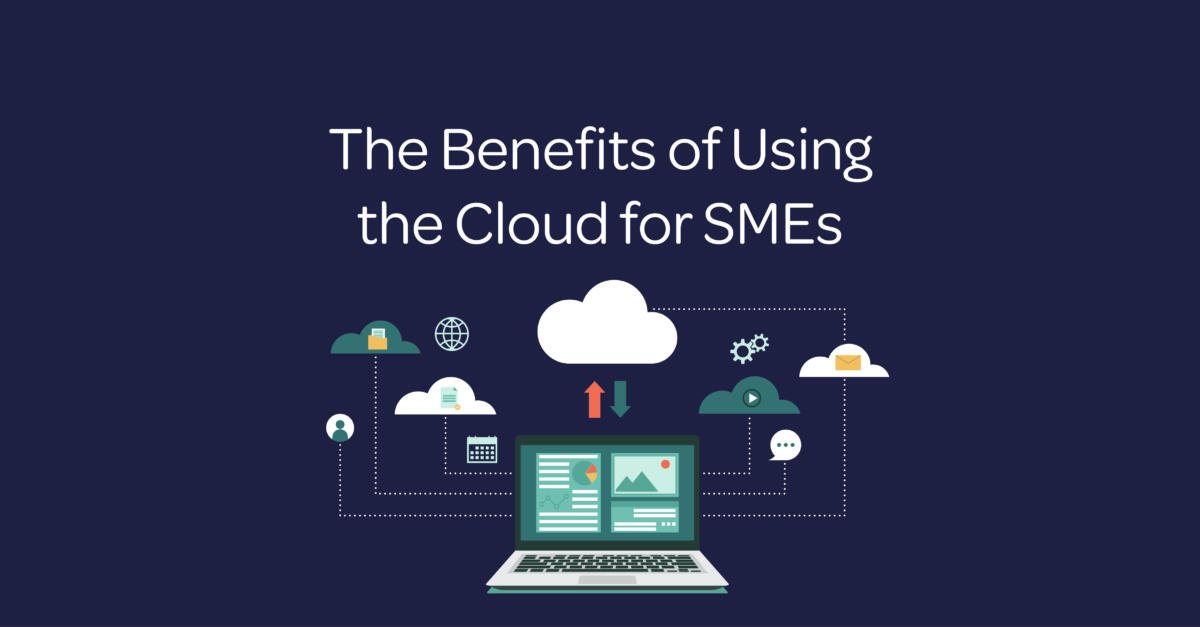
Cloud computing for SMEs allows a small or medium-sized enterprise (SME) to use applications, storage and computing resources over the internet instead of owning and maintaining every system on its premises. It can improve flexibility and resilience, but the best results come from clear requirements, secure configuration and active cost management.
What is cloud computing for SMEs?
Cloud computing is the delivery of IT services from remote data centres on demand. A provider operates the underlying infrastructure, while the SME accesses services through an internet connection and usually pays by subscription or usage.
For example, software as a service (SaaS) provides complete applications such as email, collaboration or customer relationship management tools. Infrastructure as a service (IaaS) provides virtual servers, storage and networks. A business may use public cloud services, a private environment or a hybrid approach that connects cloud and on-site systems.
What are the main benefits of cloud computing for SMEs?
1. Reduce large upfront IT investments
Cloud services can replace some capital spending on servers and software with predictable operating costs. As a result, an SME may avoid buying capacity long before it needs it and reduce the time spent maintaining physical infrastructure.
However, cloud use does not guarantee a lower total cost. Subscriptions, data transfer, support and unused accounts can increase spending. Therefore, compare the full cost of each option and review usage regularly.
2. Scale services with demand
An SME can add users, storage or computing capacity as requirements change. For instance, a growing team can expand access without installing a new server, while a seasonal business can reduce resources after a busy period.
In addition, cloud platforms can make it easier to test a new service without committing to permanent infrastructure. Set spending limits and approval rules so that convenient scaling remains controlled.
3. Improve security through shared responsibility
Major cloud providers invest in physical security, monitoring, resilience and specialist expertise. Nevertheless, the provider does not manage every risk. The SME still controls user access, device security, data handling, configuration and many compliance decisions.
Use multi-factor authentication, role-based access, encryption and regular access reviews. Also, train people to recognise cyber threats and remove accounts promptly when a person changes role or leaves.
4. Support flexible work and collaboration
Cloud applications can give authorised team members access to current information from different locations and devices. Therefore, documents, workflows and customer records can remain available without relying on one office network.
Similarly, cloud communications can connect calls and collaboration tools across office, remote and mobile teams. Secure devices, reliable connectivity and clear information-sharing rules are still essential.
5. Strengthen business continuity
Cloud services can keep important systems available if an office, device or local server becomes inaccessible. In addition, geographically separate infrastructure may reduce the effect of a single hardware failure.
However, availability is not the same as recovery. File synchronisation can copy an accidental deletion or harmful change. Maintain suitable backups, test restoration and define recovery time and recovery point objectives for critical systems.
What cloud risks should an SME plan for?
Internet and service dependency
Cloud access depends on working connectivity and provider availability. Therefore, identify critical services, check service-level commitments and decide how the team will operate during an outage. A backup connection may be appropriate for essential workflows.
Cost growth and vendor lock-in
Usage-based pricing can become difficult to predict when data, users or integrations grow. Meanwhile, moving information between providers may require time, specialist skills or additional fees. Review contracts, export options and data formats before adoption.
Compliance, access and data location
An SME remains responsible for understanding what data it holds, who can access it and which legal or contractual duties apply. Before choosing a service, confirm where the provider stores and processes data, how it handles incidents and what happens when the contract ends.
How common is cloud adoption among SMEs?
Cloud services are widely used across UK businesses, although adoption varies by organisation size, sector and need. For broader market context, consult the OECD report on SME technology adoption in the UK and SQ Magazine’s cloud adoption statistics.
Because market figures change, use adoption data as context rather than a reason to buy. The right decision depends on the SME’s workloads, security needs, internal skills, budget and continuity requirements.
How should an SME choose a cloud solution?
Start with the business problem rather than a particular product. Then, document the information, processes, integrations and users involved. A short assessment should cover the following points:
- Define the required outcome and a measurable success criterion.
- Classify the data and identify relevant compliance duties.
- Compare the total cost, including migration, training and support.
- Check security controls, backup arrangements and audit information.
- Confirm integration with existing applications and devices.
- Review service levels, support routes and incident communication.
- Plan how to export data or change provider in the future.
- Test the service with a limited workload before wider deployment.
Cloud computing for SMEs: frequently asked questions
Is cloud computing safe for a small business?
Yes, cloud computing can be safe when the provider and customer manage their responsibilities properly. Choose a service with suitable security and compliance controls, then secure accounts, devices, permissions and backups. No platform removes the need for good security practices.
How much does cloud computing cost?
Costs depend on the service, user numbers, storage, support, data transfer and usage. Some products charge a fixed monthly fee, while infrastructure services may charge for resources consumed. Compare the expected total cost with the cost and risk of the current system.
Can an SME migrate without disrupting operations?
Yes, many organisations reduce risk by moving one workload or team at a time. First, map dependencies and create a backup. Next, test the new service, train users and define a rollback plan before switching a critical process.
Which cloud model is best for an SME?
There is no single best model. SaaS is often suitable for common business applications, while IaaS offers more control for specialised systems. A hybrid approach may help when some data or applications must remain on-site.
Overall, cloud computing for SMEs works best as a managed business change rather than a simple software purchase. Clear goals, secure access, tested recovery and regular cost reviews help an SME gain flexibility without losing control.
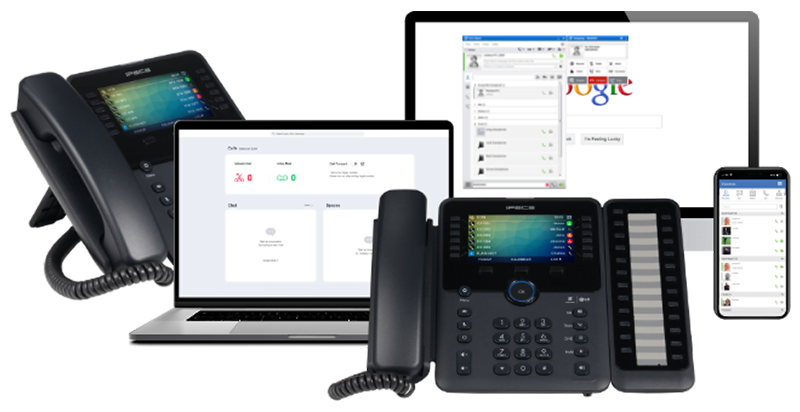
Never Miss a Cloud Call
With VoIP software, you can answer calls from any device, anywhere in the world! Choose your staff without limitations on location, or give a greater work/life balance with hybrid flexibility.
VoIP software allows you to use HD quality video and voice to improve your calls, and access live chat all in one easy-to-use application.